Build lessons people finish
A practical structure for clearer teaching and useful exercises.
01 HandpressTM
Windows desktop app
HandpressTM
Windows desktop app
Open the HTML your AI made. Rewrite the words in your own voice, personalise the layout, assess the final document, then save the HTML or produce a PDF.
One year of updates included. Optional updates after that cost £25 a year. 14-day money-back guarantee.
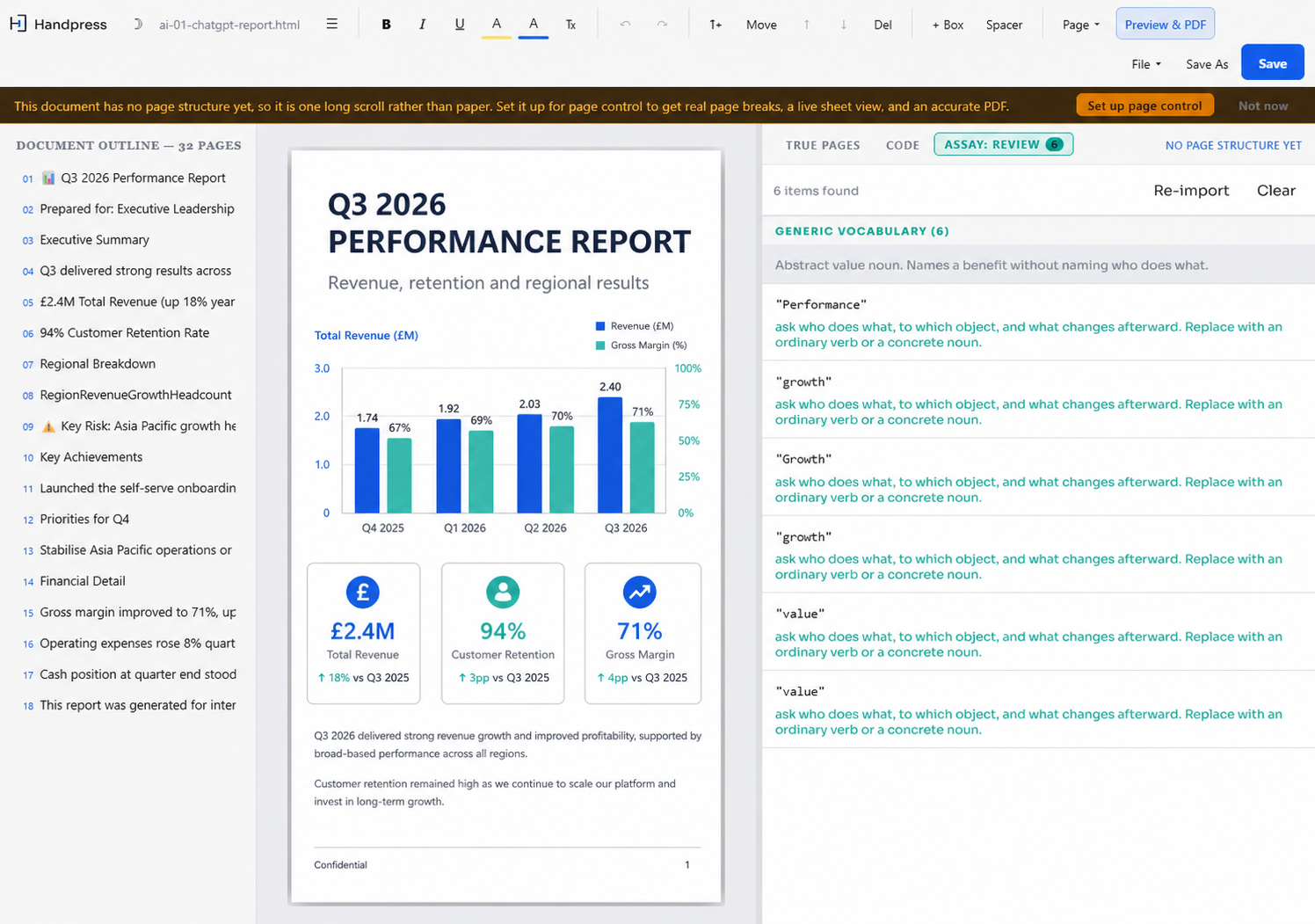
A designed HTML report open in Handpress.
Why HTML
With the right prompt, an AI chat can build one self-contained HTML file with typography, colour, styled boxes and flexible layouts, plus clear places for images and diagrams. The design can go far beyond a normal word processor or basic design app.
HTML normally opens as one long scrolling page. When a browser turns it into fixed PDF pages, the automatic breaks can land badly and screw up the design. Handpress adds page controls and shows you the result before you print, without throwing away the high-end HTML and CSS design.
Those page controls are what a document somebody has paid for actually needs.
 Handpress
TEXT EDIT + MOVE
Handpress
TEXT EDIT + MOVE
A practical structure for clearer teaching and useful exercises.
01No coding required
Handpress includes a ready-made prompt that tells your AI chat what to build. Open the self-contained HTML file and work on the document's design and content visually. For normal editing, you don't need to touch a single line of code. Easy.
Click into headings, paragraphs, lists and tables, then change the wording in place.
Move sections and content blocks until the document feels designed for your material and your customers.
Add breaks, keep related content together and stop headings being left behind.
Add, replace, resize and position content images. Reuse styled boxes already in the document and adjust their colours.
Use True Pages and the full preview to check how the finished document will paginate.
Keep the edited HTML and use the Windows print dialog to produce the final PDF.
Want every step?
See the full workflow from the first HTML file to the finished PDF, including page control, True Pages and the final Windows PDF step.
The main difference
Use True Pages while editing, then open the full preview to check the exact pagination before you print. Move a page break and see where the next page begins.

Turn a draft into something a learner can use.
Tell the learner what to do next and what finished looks like.
The real Handpress toolbar above a finished page preview.
The document teaches Handpress its design
HandpressTM reads the design already sitting inside the document you opened. If it holds styled callouts, exercises, steps or whole page layouts, those become choices you can use again.
Keep it human
AI writes quickly. It does not know which phrase sounds like you, which example came from something you actually did, or when a page needs less on it.
Leave the parts that already read like you. Nothing forces a rewrite of the whole draft.
You have direct control over the wording, the images, the blocks and the pages.
The speed and the research came from a machine. Whether it is finished is still your call.
Made for work your customers will read
HandpressTM is worth most where somebody is paying for the document. The same tools handle anything else built with an AI assistant and put in front of a reader.
Your work stays local
If you decide to paste or upload the document back into an AI chat, that's your choice. Until then, the editing, page layout and PDF preparation happen on your PC.
Handpress doesn't rewrite the document automatically. It gives you direct control over the words, the personality and the page.
Buy HandpressTM
Pay once and keep the version you bought. One year of updates is included.
Before you choose
For £20 more, the bundle adds Handpress: AssayTM to find the machine-writing cues before you finish the words and pages.
Compare the bundleHandpressTM
HandpressTM
Generate the HTML in your AI chat, paste it into Handpress, make the final changes and deliver the HTML or PDF. Handpress costs £50 once.
Buy HandpressTM - £5014-day money-back guarantee.